You probably have noticed that when you search for a business on Google, you often see information about that business in a box on the top right side of search results. This result is called a Knowledge panel or KP for short, and helps users discover/contact a business without having to leave the search engine results page. KPs started appearing on Google in 2012 and basically pull in key facts, reviews, pictures and social profiles related to the user search query. They are a great branding opportunity for any business because they are very visible and prominent on Google. They appear at least 37.3% of the time amongst the 10,000 Google SERPs monitored by Moz, which makes them super important.
There are two types of knowledge panels:
- Brand Knowledge Panels
- Local knowledge Panels
Brand Knowledge Panels
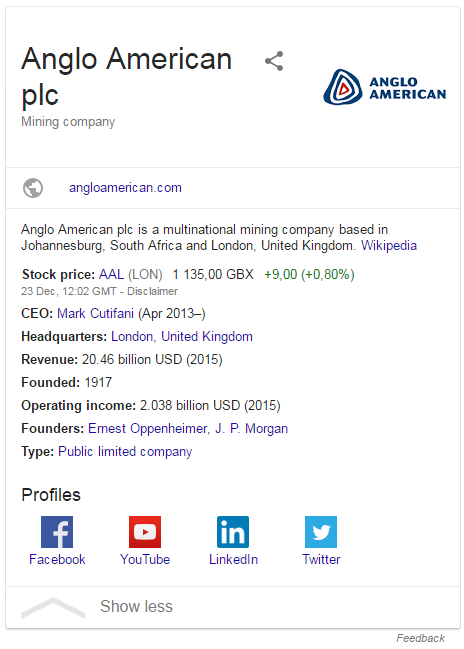
Brand panels contain general information about the business such as company logo, social profiles, product descriptions, a Wikipedia summary, the business’s creation date (not necessarily the CIPC registration date), plus other relevant information. Brand KP do not have any reviews. Here is an example
Local Knowledge Panels
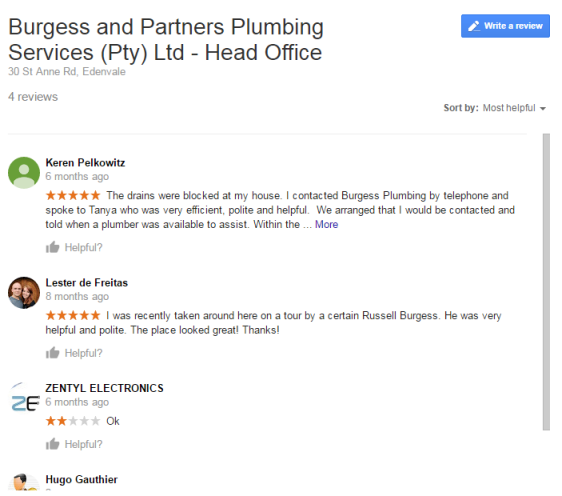
Local Panels display business photos, contact information, reviews and a “People also searched for” section. In general, its much easier to get Google to display a local panel for your business than a brand panel. If you have a verified Google My Business page and your website has been in Google’s index long enough, you may already have a local KP for your business. Here is an example below:

The reviews can be sorted by helpfulness, recency and rating scores.
Google needs a few more verification signs and trust signals before it can display a brand KP. At times, Google will display a brand KP or a local KP depending on what was searched. The more localized your search gets, the more likely it is that Google (understandably) will serve up a local KP.
Sources of data
Google scraps a lot of data sources, however not all of it is displayed in Knowledge Panels:
- Wikipedia
- Structured Data
- Google My Business
- Freebase
- Wikidata
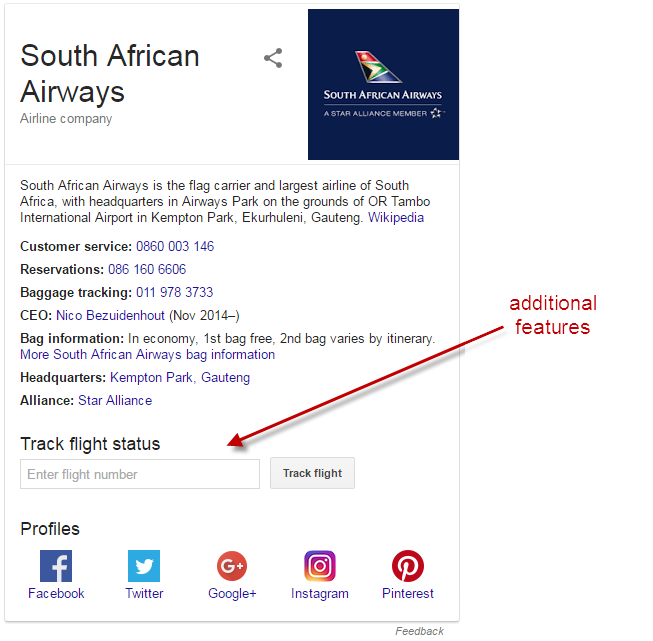
Using structured data, Google can add additional features to Knowledge Panels such as the track flight feature on the SA Airways brand panel.
Knowledge Panels are powered by information in the Knowledge Graph. Learn more about Knowledge Graph.
Or watch the video below for a quick intro on the Knowledge graph.